Computer Basics

  • Home
  • Computer Basics
Shape1 Shape2 Shape3 Shape4 Shape5 Shape6 Shape7 Shape8 Shape9 Shape10
Share
Share Course
Page Link
Share On Social Media

About Course

In today’s digital world, computer literacy is an essential skill for children. Learning computer basics at an early age not only opens doors to a wide range of educational resources but also prepares them for future academic and professional success. Our Computer Basics Courses help children build a strong foundation in technology, improve problem-solving skills, and increase their confidence in using computers for various tasks.

What Makes Our Computer Basics Courses the Best Choice?

✔ Fun & Engaging Learning Experience

  • Hands-on computer activities, interactive lessons, and real-world applications.

  • Step-by-step guidance for beginners to build confidence.

  • A fun, practical approach to understanding technology.

✔ Build Essential Computer Skills

  • Learn typing skills, file management, and internet navigation.

  • Understand basic computer operations, software, and digital safety.

  • Develop problem-solving skills using technology.

✔ Certified & Experienced Instructors

  • Learn from expert computer trainers and IT professionals.
  • Personalized coaching for different age groups and learning levels.
  • Regular assessments and practical exercises to reinforce learning.

✔ Flexible Learning Options

  • Online & In-Person Courses for maximum convenience.
  • Courses designed for beginners, intermediate, and advanced learners.
  • Self-paced learning with expert guidance.

✔ Structured Curriculum for Maximum Learning

  • Covers basic computer operations, Microsoft Office, and internet essentials.

  • Introduction to safe browsing, cybersecurity, and online etiquette.

  • Hands-on practice with typing, email usage, and basic coding concepts.


✔ Certification & Digital Readiness

  • Earn a recognized certificate upon course completion.

  • Prepares students for school projects, higher studies, and future careers.

  • Builds a strong foundation for advanced computer courses and programming.

✔ Join a Community of Young Digital Learners

  • Participate in computer-based projects and activities.

  • Collaborate with peers and work on fun, real-world tech challenges.

  • Gain confidence in using computers for everyday learning and creativity.

Benefits of Computer Basics Courses

✔ Improves Digital Literacy & Tech Skills

  • Teaches children how to use a computer efficiently and navigate basic software programs.

  • Helps kids understand the functions of hardware, software, and the internet.

  • Builds familiarity with key tools such as word processors, spreadsheets, and internet browsers.

✔ Enhances Problem-Solving & Logical Thinking

  • Develops the ability to think critically and troubleshoot issues when using a computer.

  • Encourages logical thinking by teaching children how to break down tasks into smaller steps.

  • Strengthens analytical skills through engaging activities and projects.

✔ Boosts Creativity & Digital Content Creation

  • Introduces children to basic design, drawing, and multimedia editing tools.

  • Helps kids express themselves creatively by creating digital art, presentations, and simple websites.

  • Encourages exploration of coding and game development for future tech interests.

✔ Teaches Online Safety & Digital Citizenship

  • Educates children on safe and responsible internet use, including privacy and security.

  • Introduces the concept of digital citizenship, teaching kids how to interact respectfully online.

  • Helps children understand the importance of protecting personal information while using the internet.

✔ Improves Typing & Keyboarding Skills

  • Helps children develop accurate and efficient typing skills.

  • Teaches children the proper finger placement and posture to improve speed and accuracy.

  • Strengthens motor skills through regular keyboarding practice.

✔ Fosters Independent Learning & Digital Confidence

  • Encourages kids to become independent learners by using computers for research and assignments.

  • Builds confidence in using technology to explore and solve problems on their own.

  • Promotes the idea that technology is an essential tool for learning and discovery.

✔ Prepares for Future Careers & Advanced Tech Skills

  • Establishes a strong foundation for future studies in computer science, engineering, and other tech-related fields.

  • Encourages children to develop a growth mindset when it comes to learning new technology.

  • Builds the skills necessary to adapt to new technologies in future academic and career settings.

✔ Improves Communication & Collaboration Skills

  • Teaches children to use email, online collaboration tools, and cloud storage for effective communication.

  • Develops the ability to work on group projects, share files, and collaborate with others online.

  • Fosters teamwork and social interaction through digital platforms.
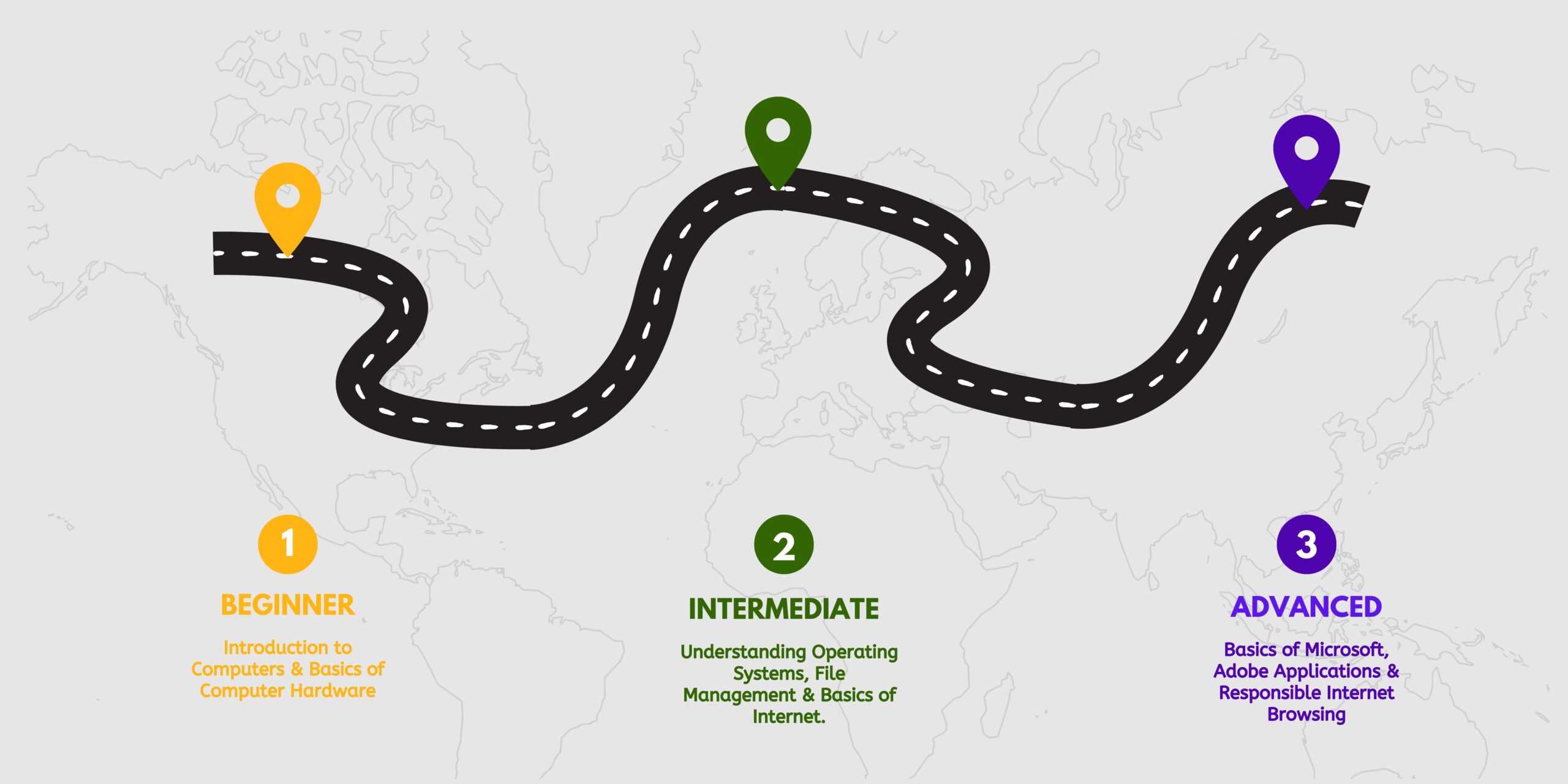
Road Map

Show More

What Will You Learn?

  • Improve typing skills for faster and more accurate writing.
  • Learn internet safety and best practices for online security.
  • Understand the basics of programming and coding.
  • Master Microsoft Office tools like Word, Excel, and PowerPoint.
  • Build confidence in navigating the digital world effectively.

Material Includes

  • 7.5 hours on-demand video
  • 10 articles
  • 31 downloadable resources
  • Full lifetime access
  • Access on mobile and TV
  • Certificate of Completion

Requirements

  • No prior computer knowledge is needed, as the course covers everything from the basics to more advanced skills like Microsoft Office and programming.

Audience

  • The target audience for the Computer Basics program includes beginners and individuals looking to enhance their computer skills for personal or professional growth.

Course Content

Installing WordPress Locally

  • Step-by-step lessons designed for beginners to advanced computer users.
    07:00
  • Covers typing, internet safety, programming basics, and Microsoft Office tools.
    07:00
  • Students gain practical skills for personal, educational, and professional computer use.
    04:20

Earn a certificate

Add this certificate to your resume to demonstrate your skills & increase your chances of getting noticed.


selected template

A course by

Student Ratings & Reviews

4.0
Total 2 Ratings
5
1 Rating
4
0 Rating
3
1 Rating
2
0 Rating
1
0 Rating
7 years ago
Very good course, great structure, really easy to follow. Have gone back and forth many times to check on some issues arising on my site. Also very handy to see what kind of plugins are available to serve different purposes.
7 years ago
Excellent feel good fit for my I study and install accounting software. However wow a lot of stuff covered here. For me great. For a lot of others beginners may be a little over whelming. Again for me extremely helpful. I study software in chunks.
  • Price
    4,999.00
  • Duration
    7 hours 30 minutes
  • Enrolled
    0
  • Course Level
    Beginner
  • Lessons
    3
4,999.00

  • Sun
  • Mon
  • Tue
  • Wed
  • Thu
  • Fri
  • Sat

    A course by

    Material Includes

    • 7.5 hours on-demand video
    • 10 articles
    • 31 downloadable resources
    • Full lifetime access
    • Access on mobile and TV
    • Certificate of Completion

    Requirements

    • No prior computer knowledge is needed, as the course covers everything from the basics to more advanced skills like Microsoft Office and programming.

    Audience

    • The target audience for the Computer Basics program includes beginners and individuals looking to enhance their computer skills for personal or professional growth.
    shape shape2

    Want to receive push notifications for all major on-site activities?